Iwas pretty excited about my brand new iPhone XS (first iPhone to be precise). To switch from Android to iOS device, one of my friends suggested that I install Move to iOS app on the Android smartphone.
So, I do what I have been told because everything needs to be perfect. This was not the usual “Android to Android” transfer, which is a piece of cake. In fact, it was the beginning of a new phase — This was “Android to iPhone.”
Move To iOS Could Not Communicate
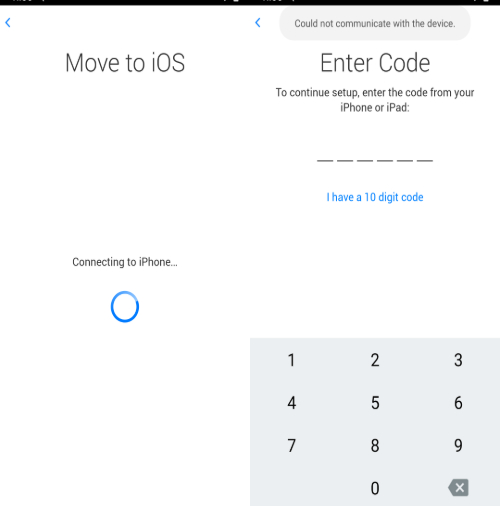
Anyway, I quickly install the Move To iOS Android app; follow all the steps mentioned in the app. The next thing I know, there is an error displaying on the Android device — “could not communicate with the device.”
I Google it because anything that happens to you, happens to at least one other person in the world. Anyway, I see that a lot of people have faced this issue. Moreover, users have faced many other connection issues. The worst part was none of the methods mentioned in the top results were able to resolve my query.
So, I decided to take the matter into my own hands and start tweaking different settings. After a few hours, I finally got to the bottom of the issue and discovered a trick to beat the connection error.
Just so you know, this trick doesn’t involve turning off the Smart Network Switch on the Android phone or restarting the devices. It’s ridiculous to even imagine that restarting devices would do any good.

Anyway, here is what you need to do if the Move to iOS app is not able to connect to the nearby iPhone.
How to use Move to iOS app [Trick]
First of all, you’d have to reach the screen where the Android app asks you to insert the code displayed on the nearby iPhone. After that, follow these steps to fix Move to iOS app:
This is how I was able to fix the Move to iOS app and transfer all data from Android to iPhone.
Move to iOS app still not working?
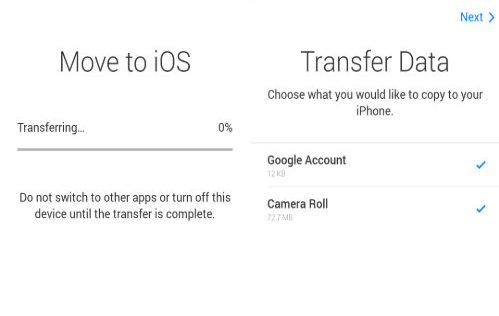
Dare I say if the above method doesn’t work and you are back to square one — Just swallow the bitter pill and move on without the app. Believe me! It will cause no harm and you can transfer the data post the initial setup.
What is the alternative?
Camera Roll
Currently, I have not discovered a way to get all my messages. However, I am exploring different options. I will update this article as soon as there is a new development.
