Sometimes you can’t just pick one picture for posting on social media or putting up photo frames. In such cases, making a photo collage is a better and a fun way of sharing your happy memories. You can use collage makers to put together a collage in a matter of minutes.
Top 7 Free Collage Maker Apps To Use In 2022
There are several easy-to-use and free photo collage maker apps available for both Android and iPhone. In this article, I have listed down the best collage maker apps which will help you create stunning pictures with the ones you’ve already clicked or with new ones you’d like to click.
Moldiv is one of the best free picture collage maker apps that can cater to all your photo editing needs in one place through several templates, filters, and other photo editing tools.

What makes it even better is the built-in camera and beauty function for those who love to click selfies. This photo collage maker has an extensive photo collection of different layouts with around 312 options to choose from. The app is pretty easy to use as well.
Just select a template and tap on the photo frame to upload a photo. On filling up the photo frame, you get access to various editing tools where you can reposition photos and put various filters on them.

Best features of Moldiv
Availability:Android|iOS
2. Collage Maker
Collage Maker by InShot Inc. has one of the cleanest interfaces among all the free collage maker apps on this list. Just like other apps, it lets you edit photos and make collages out of them. What I really like about this picture collage maker is that you’re able to add up to 18 pictures in a grid.
The editing tools on the Collage Maker app are useful and easy to use. While making a collage on this app, you can customize each element in the picture. You can change the dimensions of the grid to make custom collages.
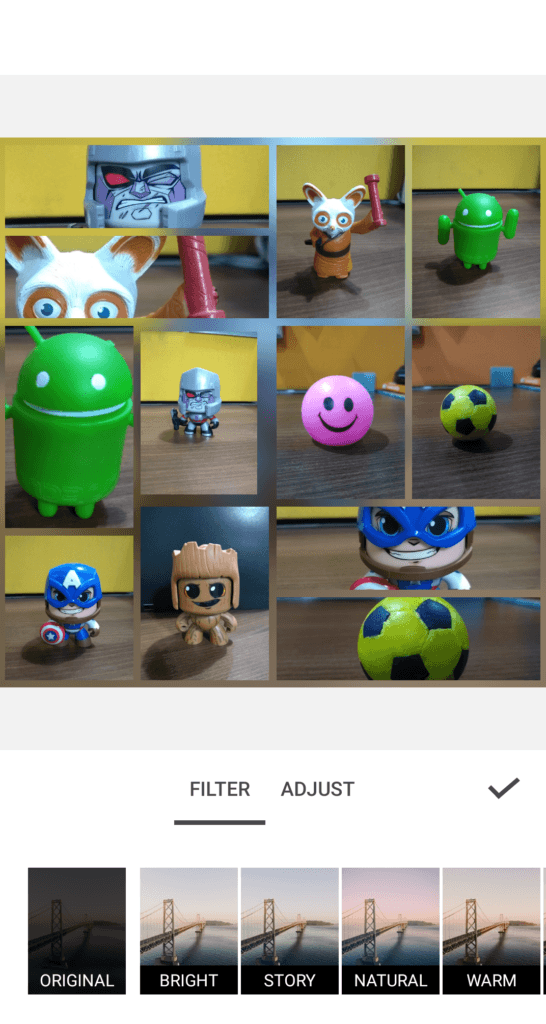
Besides this, the app has much more to offer. It lets you edit pictures to put up stories on Instagram. There is another useful feature called “Freestyle” using which you may use to make creative collages. Sadly, this app is available for Android devices only.
Best features of Collage Maker
Availability:Android
3. PhotoGrid
PhotoGrid is another best free collage maker app that comes with handy features like video and photo collage, video and photo editing, slideshow, and other fun features. You can merge music with your edited video and photos and other fun elements like text and emoji.
What I like about this is the different types of grids for collages that I didn’t find in other collage maker apps. There is a premium version of the app but you don’t necessarily need to pay for everything. You can simply watch ad videos to unlock new templates, themes, and backgrounds.

Once you are done with the editing, you can add your name signature to watermark it. Besides this PhotoGrid, offers different output quality from 720p to 2048p and formats like .jpg and .png.
Best features of PhotoGrid
4. Pic Collage
Pic Collage has the cleanest UI among all the best collage maker apps I have listed in this article. It lets you create amazing collages by using text, images, stickers, and a variety of frames. While the grids are a little less in number, the app makes up for it by providing an ad-free interface.
If you are a social media lover, you would love the Stories feature that would help you create Stories for different Instagram, Facebook, Whatsapp, etc. My personal favorite is the Freestyle mode in where you can customize photo collages according to your requirements.

To add more zing to it, you doodle or put the entire photo collage on Cards (pre-designed templates and frames).
Best features of Pic Collage
If you want a simple and free collage maker that offers a minimal interface, then Fotor is the best collage app for you. Most of the essential features for making collage are available for free, with extras available at a premium cost fee.
But you probably won’t need it as the free features are sufficient and the ads aren’t intrusive. With Fotor, you get an extensive array of features that let you customize your collages to a greater extent.
Right from the shapes to image size, color, shadow, prints, even the roundness of edges — to best suit your requirements.
Best features of Fotor
6. Pic Stitch
Pic Stitch is another recommended collage creator app that comes with unique features that other apps do not offer. First of all, it lets you change the aspect ratio of all the templates. Not just that, it gives you the option to resize individual picture slots making it completely flexible to suit your needs.
However, there is one area where Pic Stitch lags behind — editing pictures. Unlike other apps, you cannot give an extra touch to the pictures in a collage made by Pic Stitch. You’d either have to edit the pictures in some other or make do without it. If that’s not a concern for you, Pic Stitch is a good collage app for you.
Best features of Pic Stitch
7. Photo Collage Maker
Photo Collage Maker overcomes the limitations present in Pic Stitch up to some extent. You can change the aspect ratio of collages in preset dimensions but not the individual picture slots. However, you get the ability to edit those pictures with the help of filters, stickers and beautiful backgrounds which creates excellent collages.
In addition to these, you change brightness, contrast, saturation, etc. You’d see some ads on this free collage maker app but they are not too intrusive. The best part is that you don’t have to sign-up on the app to create collages.
Best features of Photo Collage Maker
What To Look For In A Photo Collage Maker?
The apps mentioned above aren’t ranked in any particular order. If you want more filters and presets, Moldiv is a good option for you. Pic Collage is another good photo collage maker if you want an ad-free experience.
However, feel free to check out all of them as each one has something unique to offer. If you like this list, you should also check our list ofbest iPhone wallpaper apps. We’ve also curated lists ofbest Android photo editors, andbest free Photoshop alternatives.
If you know of any other good free collage maker apps, do share them with us. I will keep on adding more to this list. So watch out for this space for more!
Collage Maker For iOS And Android FAQs
You can choose from any of the photo collages apps in our list of Photo collage apps for Android and iOS. Each app has something unique to offer, and you can find the best fit for you with the help of our list.
Yes, there are multiple free collage makers that are available for both iOS and Android.
You should check out a couple of photo collage apps before you decide which is the easiest one for you.
